
Library Center
Library Center is DEP's catalogue of reusable component definitions. It holds 127 reference definitions out of the box: plant models, controllers, sensors, faults and avionics LRUs across EV/hybrid, electrical, thermal, hydraulic, aerospace and UAS domains, plus anything you import. Browsing changes nothing in your project. You decide when to import a definition and turn it into a component. Open Library → Library Center.
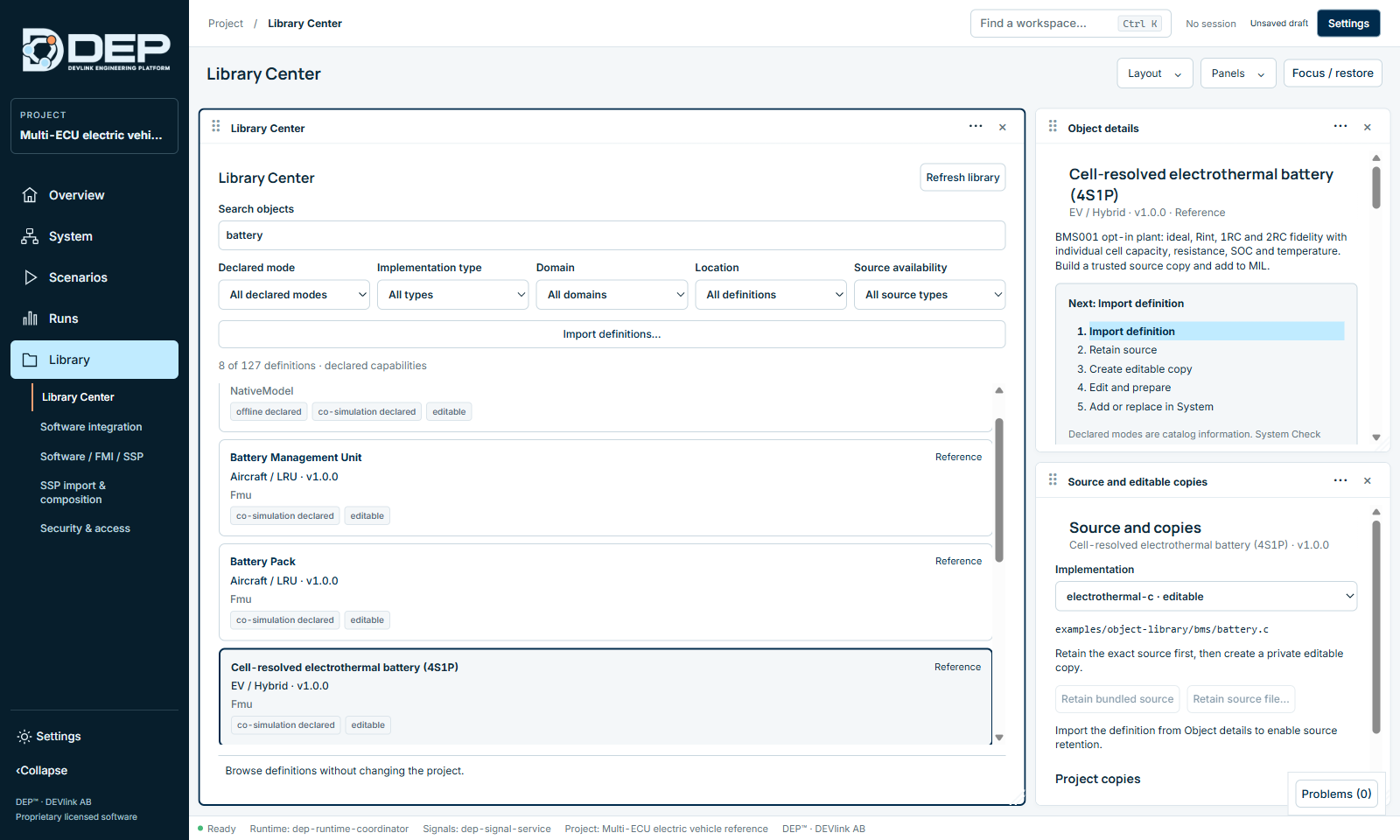
Find a definition
- Search objects: name, ID, domain or implementation.
- Declared mode: offline or co-simulation, the modes the definition declares.
- Implementation type: NativeModel (DEP native model) or Fmu.
- Domain: for example EV / Hybrid, Electrical, Thermal, Hydraulic, Pneumatic, Mechanical, Fluid, Sensors, Controls, Controller Software, Faults, Aircraft / LRU, Aircraft / System, Drone / UAS, aerospace.
- Location: Project (already imported) or Reference (bundled with DEP).
- Source availability: editable, available, black-box or unknown.
Each card shows the name, domain, version, implementation type and badges such as co-simulation declared or editable. Refresh library reloads the catalogue.
Read the object details
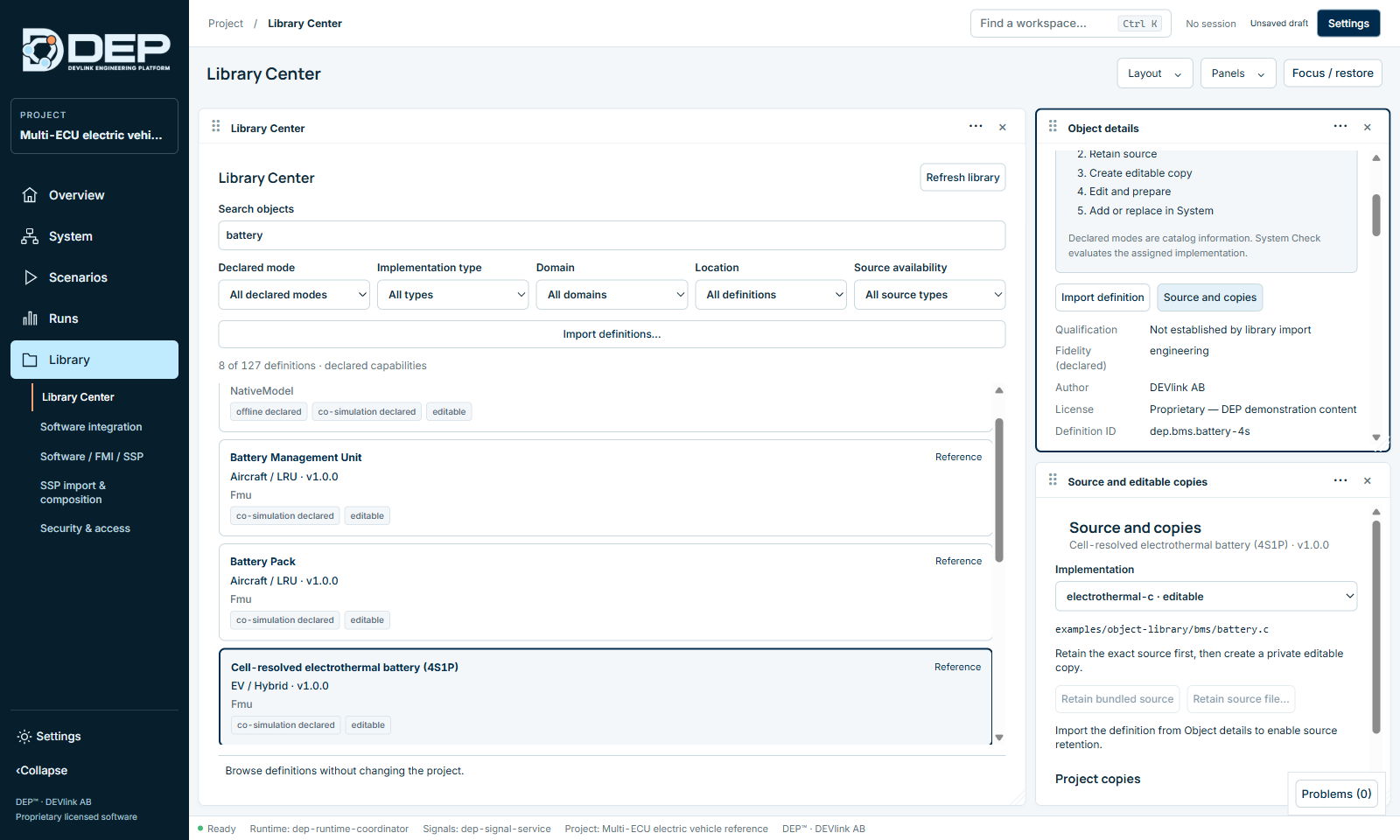
Select a card to open Object details:
- Description and fidelity, for example BMS001 opt-in plant: ideal, Rint, 1RC and 2RC fidelity…
- Author, licence, definition ID and SHA-256.
- Logical interface: every port with direction, type and unit, for example current_A input f64 / A.
- Implementations with their declared modes and whether they can execute.
- Limitations: the operating envelope and what the model does not represent. Read these before you use a model for decisions.
- Dependencies and related assets.
From definition to component
The object details show the next step of a five-step path, highlighting the current one:
- Import definitionSelect Import definition. The definition is now part of the project (Location: Project).
- Retain sourceIn Source and editable copies, select Retain bundled source, or Retain source file… for your own file. This keeps the exact original source in the project.
- Create editable copyType a Copy name and select Create editable copy. The original stays untouched.
- Edit and prepareSelect Open copy in Model Designer to change it, or Prepare copy for System (for C sources: Build trusted C source) to build it.
- Add or replace in SystemSelect Add prepared copy to MIL. The component appears in System Engineering with its interface pinned (Plant model added to MIL with its governed interface pinned.). Addition requires the MIL profile. To swap an existing component's implementation, use Replace implementation in Component Properties.
Import your own definitions
Import definitions… imports definition bundles from a file, for example a library exported by a colleague or delivered by a supplier. Imported definitions appear with Location Project.
Troubleshooting
- Addition requires the MIL profile. Select MIL in System Engineering first.
DEP-OBJ-LIBRARY: a library action failed. Select Refresh library and review the definition.DEP-MODEL-SOURCE: the implementation has no editable source. Retain its source first.