

Signal Mappings
Every component port in DEP can be tied to a canonical signal, and every canonical signal can be mapped to a bus endpoint such as a CAN frame bit range, a LIN signal, an ARINC 429 label or an EtherCAT PDO. Signal mappings are the single place where these links are defined, for automotive, aerospace and industrial systems alike. The same mappings are compiled into MIL and SIL execution.
Open System → Signal mappings, or Configure → Signal mapping in System Engineering.
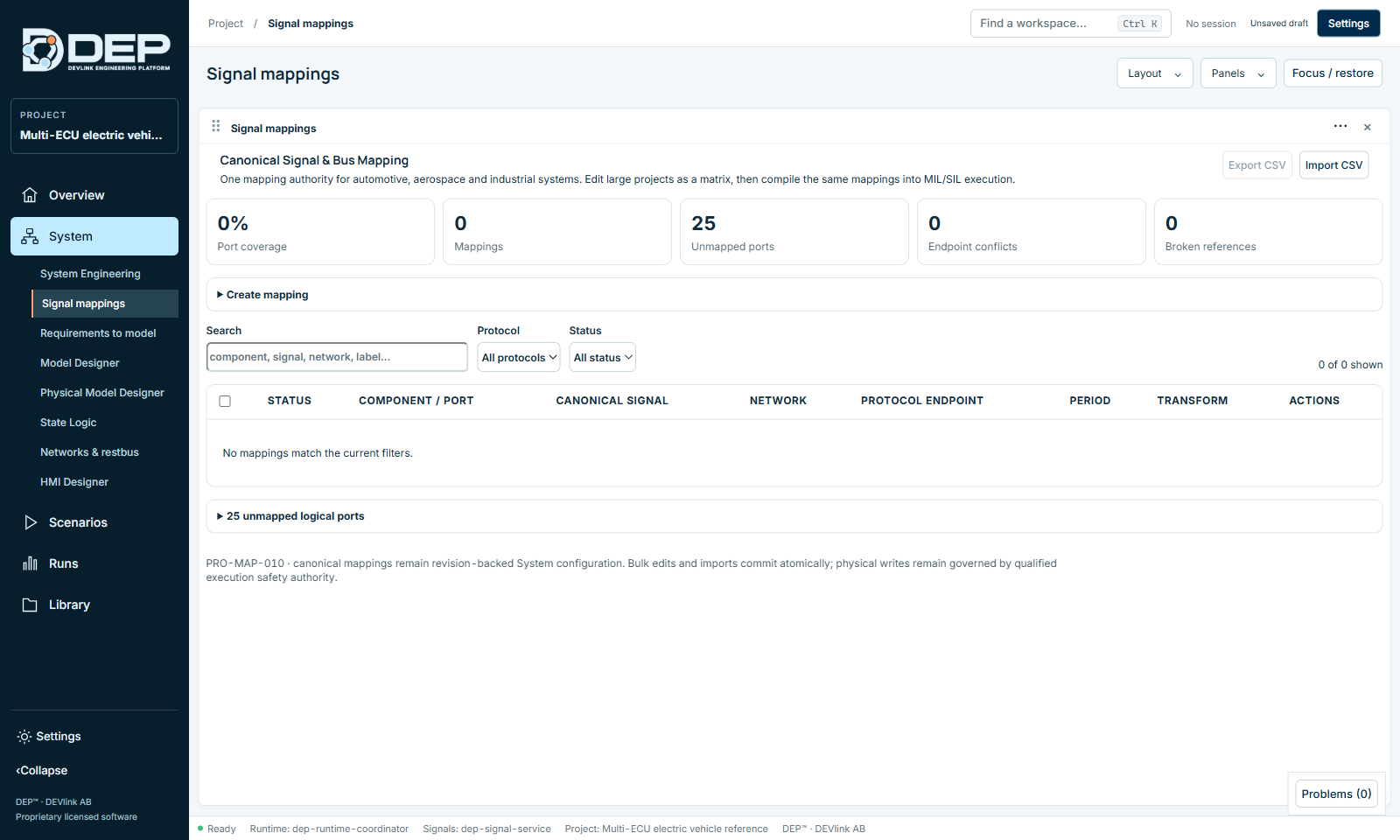
Coverage counters
| Counter | Meaning |
|---|---|
| Port coverage | Share of logical ports that have a mapping. |
| Mappings | Number of canonical mappings. |
| Unmapped ports | Ports without a mapping. They are listed below the matrix, for example 25 unmapped logical ports. Ports connected directly on the canvas do not need a bus mapping. |
| Endpoint conflicts | Two mappings write to the same endpoint. |
| Broken references | A mapping points to a port, network or database entry that no longer exists, for example after a DBC replacement. |
Create a mapping
- Open the formSelect Create mapping.
- Choose the sourceLogical port: the component port, for example VCU / torqueRequest. Canonical DEP signal: the System-wide signal name.
- Choose the networkNetwork: Direct / internal, or a CAN, CAN FD, LIN, Ethernet, EtherCAT, ARINC 429 or ARINC 825 network of the System. Give the mapping a Mapping name.
- Describe the endpointFill in the fields of the protocol: Message / profile and Signal / parameter (from the database); Frame ID, Bit offset and Bit length (CAN/LIN); Label (octal) and SDI (ARINC 429); Encoding; Address / PDO / service (Ethernet, EtherCAT).
- Timing and transformPeriod (ms), and the linear transform Factor and Offset (physical = raw × factor + offset). Add Notes if useful.
- SaveSelect Save canonical mapping. All mappings are saved atomically with the System revision.
Work with the matrix
The matrix shows one row per mapping: Status, Component / port, Canonical signal, Network, Protocol endpoint, Period, Transform and Actions.
- Search by component, signal, network or label.
- Filter by protocol (DIRECT, CAN, CANFD, LIN, ETHERNET, ETHERCAT, ARINC429, ARINC825) and by status (Ready, Conflict, Broken).
- Bulk edit: tick Select visible mappings or individual rows, then use Apply to selected (for example, change the period of many mappings at once) or Remove selected.
- Export CSV and Import CSV: edit large projects in a spreadsheet. An import is applied atomically: either all rows are accepted, or none.
Resolve conflicts and broken mappings
- Filter Status = Conflict or Broken.
- For a conflict, decide which mapping owns the endpoint, then change or remove the other one.
- For a broken reference, re-select the port or the database signal. If you replaced a DBC, use the network's Controlled remapping (see Networks and Restbus).
- Run Check in System Engineering. Unresolved mapping problems are reported as
DEP-MAP-CONFLICT.
Mappings describe the System configuration. DEP does not write to physical buses, whatever the mappings say.